MagneticField
Items are pulled toward a magnet and lean toward it, light ones more than heavy ones, then spring home. The magnet is the pointer or a draggable puck.
Available for Svelte 5, React, and Vue 3.
Preview
<script lang="ts">
	import {
		MagneticField,
		MagneticItem,
		MagnetPuck,
		type MagneticPoint,
	} from "fancy-ui-svelte";
	import Copy from "@lucide/svelte/icons/copy";
	import Magnet from "@lucide/svelte/icons/magnet";

	// Light things jump, heavy things barely move: the chips and the icon are the
	// lightest, the paragraph the heaviest block on the card.
	const chips = [
		{ label: "Springs", mass: 0.6 },
		{ label: "Falloff", mass: 0.75 },
		{ label: "Polarity", mass: 0.7 },
		{ label: "Mass", mass: 0.85, current: true },
	];

	// The puck's tray, top left of the field. A released puck glides back to
	// it while the items spring home.
	const HOME: MagneticPoint = { x: 44, y: 40 };
	let position = $state<MagneticPoint>({ ...HOME });

	// Amplitude follows the field's width, so a narrow screen is not one heap
	// of items under the magnet: 32 px of travel on a wide card, down to 16.
	let width = $state(0);
	const maxTranslate = $derived(
		width > 0 ? Math.round(Math.min(32, Math.max(16, width * 0.05))) : 32
	);
	const radius = $derived(width > 0 && width < 480 ? 200 : 260);
</script>

<!-- The puck sits in the tray above the card. Pick it up and bring it close,
     or simply move a mouse near the card. -->
<div bind:clientWidth={width} class="mx-auto w-full max-w-2xl">
	<MagneticField
		{radius}
		{maxTranslate}
		maxRotate={6}
		class="bg-muted/60 dark:bg-muted/30 w-full rounded-2xl px-3 pt-20 pb-10 sm:px-16"
	>
		<p class="text-muted-foreground absolute top-7 left-20 pr-4 text-xs leading-snug">
			Drag the magnet toward the card, or bring your pointer close.
		</p>

		<article
			class="mx-auto w-full max-w-[400px] rounded-[28px] bg-[#111112] p-6 text-[#f7f7f5] shadow-[0_24px_60px_-28px_rgb(0_0_0/0.6)] ring-1 ring-white/10 sm:p-10 dark:bg-[#19191b] dark:ring-white/15"
		>
			<header class="flex items-center justify-between">
				<MagneticItem mass={1}>
					<span class="flex items-center gap-2 text-[15px] font-semibold tracking-tight">
						<span class="size-3 rounded-full bg-[#f7f7f5]"></span>
						Lodestone
					</span>
				</MagneticItem>
				<MagneticItem mass={0.7}>
					<span class="rounded-full bg-[#1d2442] px-3 py-1 text-xs font-medium text-[#9db0ff]">
						Field kit
					</span>
				</MagneticItem>
			</header>

			<div class="mt-8 flex flex-wrap gap-2">
				{#each chips as chip (chip.label)}
					<MagneticItem inline mass={chip.mass}>
						<span
							class="rounded-full px-3.5 py-1.5 text-[13px] font-medium {chip.current
								? 'bg-[#41463c] text-white'
								: 'bg-[#252528] text-[#d9d9d6]'}"
						>
							{chip.label}
						</span>
					</MagneticItem>
				{/each}
			</div>

			<MagneticItem mass={0.6} class="mt-8 w-fit">
				<span
					class="flex size-11 items-center justify-center rounded-[12px] bg-[#38363a] text-[#c9c9c4]"
				>
					<Magnet class="size-5" aria-hidden="true" />
				</span>
			</MagneticItem>

			<MagneticItem mass={1.2} class="mt-4 w-fit">
				<p class="text-[30px] leading-[1.05] font-bold tracking-tight text-balance sm:text-[34px]">
					Pull, then let go
				</p>
			</MagneticItem>

			<MagneticItem mass={2.5}>
				<p class="mt-4 text-[13.5px] leading-5 text-[#b9b9b4]">
					Every block on this card has its own weight. Bring the magnet close and the light ones
					jump first, the heading follows, and this paragraph, the heaviest of all, barely moves
					before everything settles back home.
				</p>
			</MagneticItem>

			<div class="mt-8 flex flex-wrap items-center justify-between gap-3">
				<MagneticItem mass={1}>
					<button
						type="button"
						class="rounded-full bg-[#3c3936] px-3.5 py-2 text-[13px] font-medium whitespace-nowrap focus-visible:outline-2 focus-visible:outline-offset-2 focus-visible:outline-[#9db0ff] sm:px-4"
					>
						Preview
					</button>
				</MagneticItem>
				<MagneticItem mass={1.1}>
					<button
						type="button"
						class="flex items-center gap-2 rounded-full bg-[#232120] px-3.5 py-2 text-[13px] font-medium whitespace-nowrap ring-1 ring-white/10 focus-visible:outline-2 focus-visible:outline-offset-2 focus-visible:outline-[#9db0ff] sm:px-4"
					>
						<Copy class="size-3.5" aria-hidden="true" />
						Copy install
					</button>
				</MagneticItem>
			</div>
		</article>

		<MagnetPuck
			bind:position
			size={48}
			label="Magnet: drag it toward the card"
			onHeldChange={(held) => {
				if (!held) position = { ...HOME };
			}}
			class="motion-safe:[&:not([data-held])]:transition-transform motion-safe:[&:not([data-held])]:duration-500 motion-safe:[&:not([data-held])]:ease-out"
		/>
	</MagneticField>
</div>
Installation
Usage
<script lang="ts">
	import {
		MagneticField,
		MagneticItem,
		MagnetPuck,
		type MagneticPoint,
	} from "fancy-ui-svelte";
	import Copy from "@lucide/svelte/icons/copy";
	import Magnet from "@lucide/svelte/icons/magnet";

	// Light things jump, heavy things barely move: the chips and the icon are the
	// lightest, the paragraph the heaviest block on the card.
	const chips = [
		{ label: "Springs", mass: 0.6 },
		{ label: "Falloff", mass: 0.75 },
		{ label: "Polarity", mass: 0.7 },
		{ label: "Mass", mass: 0.85, current: true },
	];

	// The puck's tray, top left of the field. A released puck glides back to
	// it while the items spring home.
	const HOME: MagneticPoint = { x: 44, y: 40 };
	let position = $state<MagneticPoint>({ ...HOME });

	// Amplitude follows the field's width, so a narrow screen is not one heap
	// of items under the magnet: 32 px of travel on a wide card, down to 16.
	let width = $state(0);
	const maxTranslate = $derived(
		width > 0 ? Math.round(Math.min(32, Math.max(16, width * 0.05))) : 32
	);
	const radius = $derived(width > 0 && width < 480 ? 200 : 260);
</script>

<!-- The puck sits in the tray above the card. Pick it up and bring it close,
     or simply move a mouse near the card. -->
<div bind:clientWidth={width} class="mx-auto w-full max-w-2xl">
	<MagneticField
		{radius}
		{maxTranslate}
		maxRotate={6}
		class="bg-muted/60 dark:bg-muted/30 w-full rounded-2xl px-3 pt-20 pb-10 sm:px-16"
	>
		<p class="text-muted-foreground absolute top-7 left-20 pr-4 text-xs leading-snug">
			Drag the magnet toward the card, or bring your pointer close.
		</p>

		<article
			class="mx-auto w-full max-w-[400px] rounded-[28px] bg-[#111112] p-6 text-[#f7f7f5] shadow-[0_24px_60px_-28px_rgb(0_0_0/0.6)] ring-1 ring-white/10 sm:p-10 dark:bg-[#19191b] dark:ring-white/15"
		>
			<header class="flex items-center justify-between">
				<MagneticItem mass={1}>
					<span class="flex items-center gap-2 text-[15px] font-semibold tracking-tight">
						<span class="size-3 rounded-full bg-[#f7f7f5]"></span>
						Lodestone
					</span>
				</MagneticItem>
				<MagneticItem mass={0.7}>
					<span class="rounded-full bg-[#1d2442] px-3 py-1 text-xs font-medium text-[#9db0ff]">
						Field kit
					</span>
				</MagneticItem>
			</header>

			<div class="mt-8 flex flex-wrap gap-2">
				{#each chips as chip (chip.label)}
					<MagneticItem inline mass={chip.mass}>
						<span
							class="rounded-full px-3.5 py-1.5 text-[13px] font-medium {chip.current
								? 'bg-[#41463c] text-white'
								: 'bg-[#252528] text-[#d9d9d6]'}"
						>
							{chip.label}
						</span>
					</MagneticItem>
				{/each}
			</div>

			<MagneticItem mass={0.6} class="mt-8 w-fit">
				<span
					class="flex size-11 items-center justify-center rounded-[12px] bg-[#38363a] text-[#c9c9c4]"
				>
					<Magnet class="size-5" aria-hidden="true" />
				</span>
			</MagneticItem>

			<MagneticItem mass={1.2} class="mt-4 w-fit">
				<p class="text-[30px] leading-[1.05] font-bold tracking-tight text-balance sm:text-[34px]">
					Pull, then let go
				</p>
			</MagneticItem>

			<MagneticItem mass={2.5}>
				<p class="mt-4 text-[13.5px] leading-5 text-[#b9b9b4]">
					Every block on this card has its own weight. Bring the magnet close and the light ones
					jump first, the heading follows, and this paragraph, the heaviest of all, barely moves
					before everything settles back home.
				</p>
			</MagneticItem>

			<div class="mt-8 flex flex-wrap items-center justify-between gap-3">
				<MagneticItem mass={1}>
					<button
						type="button"
						class="rounded-full bg-[#3c3936] px-3.5 py-2 text-[13px] font-medium whitespace-nowrap focus-visible:outline-2 focus-visible:outline-offset-2 focus-visible:outline-[#9db0ff] sm:px-4"
					>
						Preview
					</button>
				</MagneticItem>
				<MagneticItem mass={1.1}>
					<button
						type="button"
						class="flex items-center gap-2 rounded-full bg-[#232120] px-3.5 py-2 text-[13px] font-medium whitespace-nowrap ring-1 ring-white/10 focus-visible:outline-2 focus-visible:outline-offset-2 focus-visible:outline-[#9db0ff] sm:px-4"
					>
						<Copy class="size-3.5" aria-hidden="true" />
						Copy install
					</button>
				</MagneticItem>
			</div>
		</article>

		<MagnetPuck
			bind:position
			size={48}
			label="Magnet: drag it toward the card"
			onHeldChange={(held) => {
				if (!held) position = { ...HOME };
			}}
			class="motion-safe:[&:not([data-held])]:transition-transform motion-safe:[&:not([data-held])]:duration-500 motion-safe:[&:not([data-held])]:ease-out"
		/>
	</MagneticField>
</div>
Examples
Basic Usage
A product card whose pieces lean and drift toward a magnet. Drag the puck close, or bring a mouse near the card.
<script lang="ts">
	import {
		MagneticField,
		MagneticItem,
		MagnetPuck,
		type MagneticPoint,
	} from "$lib/fancy-ui/magnetic-field";
	import Copy from "@lucide/svelte/icons/copy";
	import Magnet from "@lucide/svelte/icons/magnet";

	// Light things jump, heavy things barely move: the chips and the icon are the
	// lightest, the paragraph the heaviest block on the card.
	const chips = [
		{ label: "Springs", mass: 0.6 },
		{ label: "Falloff", mass: 0.75 },
		{ label: "Polarity", mass: 0.7 },
		{ label: "Mass", mass: 0.85, current: true },
	];

	// The puck's tray, top left of the field. A released puck glides back to
	// it while the items spring home.
	const HOME: MagneticPoint = { x: 44, y: 40 };
	let position = $state<MagneticPoint>({ ...HOME });

	// Amplitude follows the field's width, so a narrow screen is not one heap
	// of items under the magnet: 32 px of travel on a wide card, down to 16.
	let width = $state(0);
	const maxTranslate = $derived(
		width > 0 ? Math.round(Math.min(32, Math.max(16, width * 0.05))) : 32
	);
	const radius = $derived(width > 0 && width < 480 ? 200 : 260);
</script>

<!-- The puck sits in the tray above the card. Pick it up and bring it close,
     or simply move a mouse near the card. -->
<div bind:clientWidth={width} class="mx-auto w-full max-w-2xl">
	<MagneticField
		{radius}
		{maxTranslate}
		maxRotate={6}
		class="bg-muted/60 dark:bg-muted/30 w-full rounded-2xl px-3 pt-20 pb-10 sm:px-16"
	>
		<p class="text-muted-foreground absolute top-7 left-20 pr-4 text-xs leading-snug">
			Drag the magnet toward the card, or bring your pointer close.
		</p>

		<article
			class="mx-auto w-full max-w-[400px] rounded-[28px] bg-[#111112] p-6 text-[#f7f7f5] shadow-[0_24px_60px_-28px_rgb(0_0_0/0.6)] ring-1 ring-white/10 sm:p-10 dark:bg-[#19191b] dark:ring-white/15"
		>
			<header class="flex items-center justify-between">
				<MagneticItem mass={1}>
					<span class="flex items-center gap-2 text-[15px] font-semibold tracking-tight">
						<span class="size-3 rounded-full bg-[#f7f7f5]"></span>
						Lodestone
					</span>
				</MagneticItem>
				<MagneticItem mass={0.7}>
					<span class="rounded-full bg-[#1d2442] px-3 py-1 text-xs font-medium text-[#9db0ff]">
						Field kit
					</span>
				</MagneticItem>
			</header>

			<div class="mt-8 flex flex-wrap gap-2">
				{#each chips as chip (chip.label)}
					<MagneticItem inline mass={chip.mass}>
						<span
							class="rounded-full px-3.5 py-1.5 text-[13px] font-medium {chip.current
								? 'bg-[#41463c] text-white'
								: 'bg-[#252528] text-[#d9d9d6]'}"
						>
							{chip.label}
						</span>
					</MagneticItem>
				{/each}
			</div>

			<MagneticItem mass={0.6} class="mt-8 w-fit">
				<span
					class="flex size-11 items-center justify-center rounded-[12px] bg-[#38363a] text-[#c9c9c4]"
				>
					<Magnet class="size-5" aria-hidden="true" />
				</span>
			</MagneticItem>

			<MagneticItem mass={1.2} class="mt-4 w-fit">
				<p class="text-[30px] leading-[1.05] font-bold tracking-tight text-balance sm:text-[34px]">
					Pull, then let go
				</p>
			</MagneticItem>

			<MagneticItem mass={2.5}>
				<p class="mt-4 text-[13.5px] leading-5 text-[#b9b9b4]">
					Every block on this card has its own weight. Bring the magnet close and the light ones
					jump first, the heading follows, and this paragraph, the heaviest of all, barely moves
					before everything settles back home.
				</p>
			</MagneticItem>

			<div class="mt-8 flex flex-wrap items-center justify-between gap-3">
				<MagneticItem mass={1}>
					<button
						type="button"
						class="rounded-full bg-[#3c3936] px-3.5 py-2 text-[13px] font-medium whitespace-nowrap focus-visible:outline-2 focus-visible:outline-offset-2 focus-visible:outline-[#9db0ff] sm:px-4"
					>
						Preview
					</button>
				</MagneticItem>
				<MagneticItem mass={1.1}>
					<button
						type="button"
						class="flex items-center gap-2 rounded-full bg-[#232120] px-3.5 py-2 text-[13px] font-medium whitespace-nowrap ring-1 ring-white/10 focus-visible:outline-2 focus-visible:outline-offset-2 focus-visible:outline-[#9db0ff] sm:px-4"
					>
						<Copy class="size-3.5" aria-hidden="true" />
						Copy install
					</button>
				</MagneticItem>
			</div>
		</article>

		<MagnetPuck
			bind:position
			size={48}
			label="Magnet: drag it toward the card"
			onHeldChange={(held) => {
				if (!held) position = { ...HOME };
			}}
			class="motion-safe:[&:not([data-held])]:transition-transform motion-safe:[&:not([data-held])]:duration-500 motion-safe:[&:not([data-held])]:ease-out"
		/>
	</MagneticField>
</div>
Pointer Field
A cloud of tags that follows the pointer, and a status line that shows when the field is awake.
<script lang="ts">
	import { MagneticField, MagneticItem } from "$lib/fancy-ui/magnetic-field";

	const tags = [
		"ferrite",
		"cobalt",
		"nickel",
		"iron filings",
		"flux",
		"north pole",
		"coil",
		"dipole",
		"lodestone",
		"alloy",
		"compass",
		"field lines",
		"spin",
		"domain",
		"ore",
		"south pole",
	];

	let awake = $state(false);
</script>

<!-- Pointer only (a mouse or pen; touch is ignored). The loop runs while the
     pointer is near and sleeps once every tag has settled. -->
<div class="mx-auto w-full max-w-xl">
	<MagneticField
		radius={160}
		maxTranslate={12}
		maxRotate={8}
		onActiveChange={(active) => (awake = active)}
		class="bg-card flex flex-wrap justify-center gap-3.5 rounded-2xl border p-10"
	>
		{#each tags as tag, i (tag)}
			<MagneticItem inline mass={i % 2 === 0 ? 0.8 : 1}>
				<span class="bg-muted text-foreground inline-block rounded-full border px-3 py-1 text-sm">
					{tag}
				</span>
			</MagneticItem>
		{/each}
	</MagneticField>
	<p class="text-muted-foreground mt-3 flex items-center justify-center gap-2 text-xs">
		<span
			class="size-1.5 rounded-full {awake ? 'bg-emerald-500' : 'bg-muted-foreground/40'}"
			aria-hidden="true"
		></span>
		{awake ? "Field awake" : "Field asleep: no frames scheduled"}
	</p>
</div>
Repel
`polarity={-1}` with a sticky puck: drag it through the grid and the tiles part around it. Works on touch.
<script lang="ts">
	import {
		MagneticField,
		MagneticItem,
		MagnetPuck,
		type MagneticPoint,
	} from "$lib/fancy-ui/magnetic-field";

	// A deterministic spread of weights so the grid parts unevenly.
	const tiles = Array.from({ length: 28 }, (_, i) => ({
		id: i,
		mass: 0.7 + ((i * 7) % 5) * 0.15,
	}));

	let field = $state<HTMLDivElement | null>(null);
	let position = $state<MagneticPoint>({ x: 48, y: 48 });
	let placed = $state(false);

	// Start the puck in the middle of the grid, once the field has a size. It
	// stays hidden until then, so the first paint never shows it in a corner.
	$effect(() => {
		if (!field || placed) return;
		placed = true;
		position = { x: field.clientWidth / 2, y: field.clientHeight / 2 };
	});
</script>

<!-- `polarity={-1}` pushes the tiles away. The puck is `sticky`, so it keeps
     pushing where you leave it; `source="manual"` without a `position` means
     the puck is the only magnet, on touch screens too. -->
<MagneticField
	bind:ref={field}
	source="manual"
	polarity={-1}
	radius={110}
	maxTranslate={16}
	maxRotate={8}
	class="bg-card mx-auto grid w-full max-w-lg grid-cols-7 gap-4 rounded-2xl border p-8"
>
	{#each tiles as tile (tile.id)}
		<MagneticItem mass={tile.mass}>
			<span class="bg-muted block aspect-square rounded-lg border shadow-xs"></span>
		</MagneticItem>
	{/each}
	<MagnetPuck
		bind:position
		sticky
		size={44}
		label="Magnet: drag it, or use the arrow keys"
		class={placed ? undefined : "opacity-0"}
	/>
</MagneticField>
Interactive Playground
<script lang="ts">
	import {
		MagneticField,
		MagneticItem,
		MagnetPuck,
		type MagneticSpringPreset,
	} from "$lib/fancy-ui/magnetic-field";
	import PropsPlayground from "$lib/components/PropsPlayground.svelte";

	const chips = [
		{ label: "Light", mass: 0.6 },
		{ label: "Medium", mass: 1 },
		{ label: "Heavy", mass: 2.5 },
	];
</script>

<PropsPlayground
	controls={[
		{ key: "radius", type: "range", label: "Radius", min: 60, max: 400, step: 10 },
		{ key: "strength", type: "range", label: "Strength", min: 0, max: 2, step: 0.1 },
		{ key: "maxTranslate", type: "range", label: "Max travel", min: 0, max: 64, step: 2 },
		{ key: "maxRotate", type: "range", label: "Max lean", min: 0, max: 15, step: 0.5 },
		{
			key: "spring",
			type: "select",
			label: "Spring",
			options: [
				{ value: "soft", label: "Soft" },
				{ value: "default", label: "Default" },
				{ value: "snappy", label: "Snappy" },
			],
		},
		{
			key: "polarity",
			type: "select",
			label: "Polarity",
			options: [
				{ value: "1", label: "Attract" },
				{ value: "-1", label: "Repel" },
			],
		},
		{ key: "sticky", type: "boolean", label: "Sticky puck" },
		{ key: "disabled", type: "boolean", label: "Disabled" },
	]}
	initialValues={{
		radius: 220,
		strength: 1,
		maxTranslate: 24,
		maxRotate: 6,
		spring: "default",
		polarity: "1",
		sticky: false,
		disabled: false,
	}}
>
	{#snippet preview(values)}
		<MagneticField
			radius={values.radius as number}
			strength={values.strength as number}
			maxTranslate={values.maxTranslate as number}
			maxRotate={values.maxRotate as number}
			spring={values.spring as MagneticSpringPreset}
			polarity={values.polarity === "-1" ? -1 : 1}
			disabled={values.disabled as boolean}
			class="mx-auto w-full max-w-lg px-4 pt-20 pb-8"
		>
			<div class="bg-card mx-auto max-w-sm rounded-2xl border p-8">
				<div class="flex flex-wrap gap-3">
					{#each chips as chip (chip.label)}
						<MagneticItem inline mass={chip.mass}>
							<span class="bg-muted inline-block rounded-full px-3 py-1 text-sm">
								{chip.label} · {chip.mass}
							</span>
						</MagneticItem>
					{/each}
				</div>
				<MagneticItem mass={1.2} class="mt-6 w-fit">
					<p class="text-2xl font-semibold tracking-tight">Tune the field</p>
				</MagneticItem>
				<MagneticItem mass={2.5}>
					<p class="text-muted-foreground mt-3 text-sm">
						Move a mouse near the card, or pick up the magnet. Change a control while the items are
						still moving: the springs keep their speed.
					</p>
				</MagneticItem>
			</div>
			<MagnetPuck
				position={{ x: 40, y: 40 }}
				sticky={values.sticky as boolean}
				label="Magnet: drag it toward the card"
			/>
		</MagneticField>
	{/snippet}
</PropsPlayground>
Props
| Prop | Type | Default | Description |
|---|---|---|---|
source | "pointer" | "manual" | "pointer" | Where the magnet comes from. `"pointer"` follows a mouse or pen anywhere within `radius` of an item (touch is ignored); `"manual"` reads `position` instead. A `MagnetPuck` placed inside the field drives it in either mode while it is held. |
position | MagneticPoint | null | null | The magnet's position in px, relative to the field's padding box, used when `source` is `"manual"`. `null` means no magnet, and the items spring back to rest. |
radius | number | 220 | Falloff distance from the item's nearest edge, in px: an item pulls hardest when the magnet touches or overlaps it and stops moving once the magnet is `radius` px away. It can still lean up to twice as far. |
strength | number | 1 | Global pull multiplier, applied on top of each item's own `strength`. `0` turns the effect off without detaching anything. |
maxTranslate | number | 24 | Largest distance, in px, that any item travels toward the magnet. |
maxRotate | number | 6 | Largest lean, in degrees. Items lean toward the magnet's side like a crowd turning its head: clockwise when it is to their left, counter-clockwise when it is to their right. |
spring | MagneticSpringPreset | Partial<MagneticSpring> | "default" | How items move and settle: `"soft"`, `"default"` or `"snappy"`, or your own `{ stiffness, damping, mass }` (missing keys come from `"default"`). |
polarity | 1 | -1 | 1 | `1` attracts and `-1` repels. Only translation flips; the lean stays the same. |
disabled | boolean | false | Detaches every listener and springs each item back to rest. |
onActiveChange | (active: boolean) => void | - | Called when the field wakes up (a magnet is engaged or an item is still settling) and when it goes back to sleep. |
class | string | - | Additional CSS classes. |
ref | HTMLDivElement | null | null | Element reference (bindable). |
MagneticItem.mass | number | 1 | How heavy the item is. Above 1 it moves and leans less and settles more slowly; below 1 it is livelier. |
MagneticItem.strength | number | 1 | Per-item pull multiplier, applied on top of the field's `strength`. |
MagneticItem.pull | boolean | true | Whether the item moves toward the magnet. |
MagneticItem.rotate | boolean | true | Whether the item leans toward the magnet. |
MagneticItem.inline | boolean | false | Renders `<span>` wrappers with `display: inline-block` instead of block `<div>`s, for items that sit inside a line of text or an inline row. |
MagneticItem.class | string | - | Additional CSS classes, on the static outer wrapper. |
MagneticItem.ref | HTMLElement | null | null | Reference to the static outer wrapper (bindable). |
MagnetPuck.position | MagneticPoint | { x: 48, y: 48 } | The puck's centre in px, relative to its positioned parent (the field's padding box when it sits inside a `MagneticField`, where the field must be that parent: no positioned element in between). Bindable; dragging and the arrow keys update it. |
MagnetPuck.onPositionChange | (position: MagneticPoint) => void | - | Called with each new position while the puck is dragged or moved with the keyboard. |
MagnetPuck.size | number | 40 | Diameter in px. |
MagnetPuck.sticky | boolean | false | Whether the puck keeps attracting once released. By default it attracts only while held, and the items spring back when it is let go. |
MagnetPuck.label | string | "Magnet" | Accessible name. A built-in hint naming the keys describes the puck; pass your own `aria-describedby` to replace it. |
MagnetPuck.onHeldChange | (held: boolean) => void | - | Called when the puck is picked up (pointer down, or Space/Enter) and put down. |
MagnetPuck.class | string | - | Additional CSS classes. |
MagnetPuck.ref | HTMLDivElement | null | null | Element reference (bindable). |
Slots
| Slot | Description |
|---|---|
children | The content. Wrap each element that should react in a `MagneticItem`. |
MagneticItem.children | The element that reacts. |
MagnetPuck.children | A custom face. Leave it out for the default black disc. |
Links
Related components
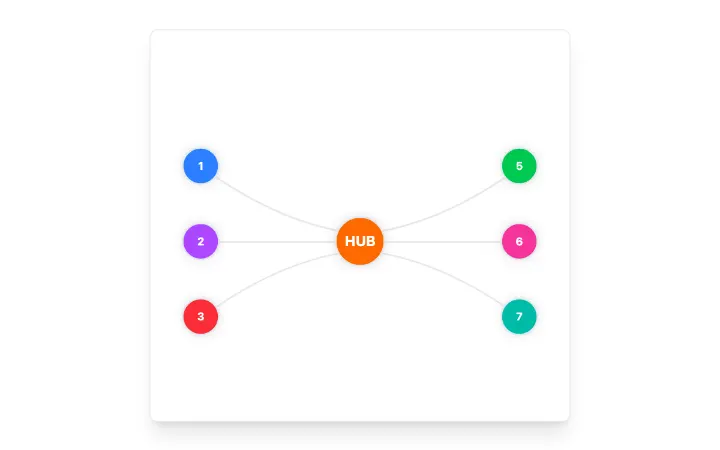
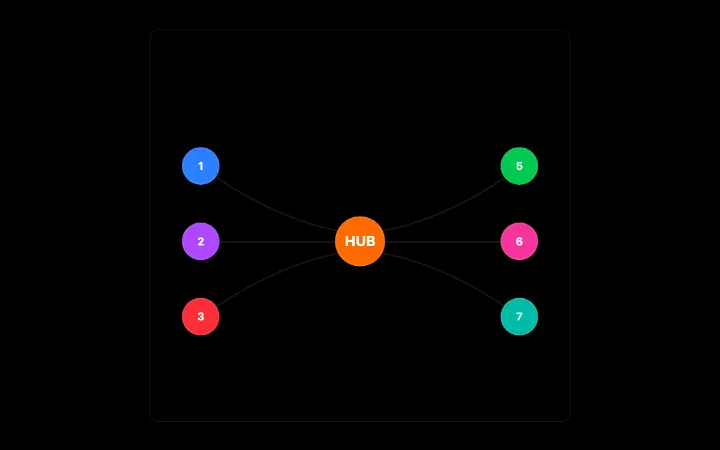
AnimatedBeam
Fibre-optic connector between two elements: a light packet with a dispersing chromatic tail runs along a glass fibre and blooms behind the destination on arrival; theme-aware, seeded and still under reduced motion.
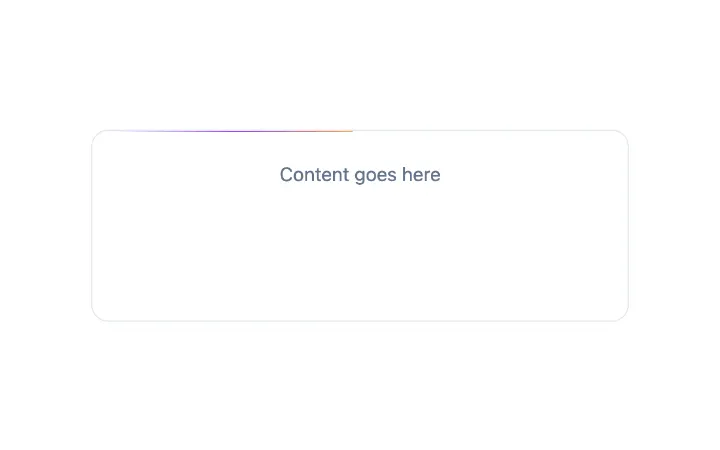
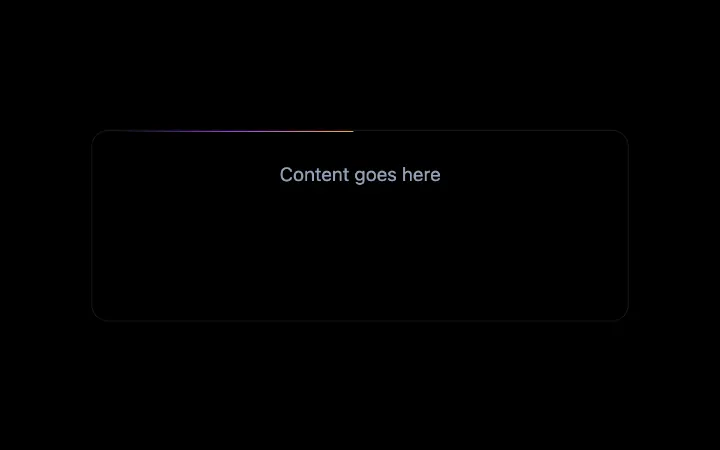
BorderBeam
A single comet of light riding a container's border: a white-hot head, a long feathered tail fading between two colours, a dim hairline that lights up only within the comet's reach, and a soft bloom that sits on the edge.
Confetti
Confetti celebration effect powered by canvas-confetti with button trigger support