AgentPlan
Glanceable checklist of an agent's plan: a done/total count and completion bar over one row per step, with a status glyph, an optional detail line, and substeps indented under a rail
Available for Svelte 5, React, and Vue 3.
Preview
<script lang="ts">
	import { onMount } from "svelte";
	import { AgentPlan } from "fancy-ui-svelte";
	import type { PlanStepData, RunStatus } from "fancy-ui-svelte";

	/** How long each step is left running before the next one takes over. */
	const STEP_MS = 900;

	/**
	 * The leaves of the plan, in the order the agent works through them. Only these
	 * advance: the parent below reads its status off the children, the way a real
	 * plan does — it is running while any of them is, and done when all of them are.
	 */
	const LEAVES = [
		{ id: "plan-read", label: "Read the failing test", detail: "tests/retry.spec.ts" },
		{ id: "plan-grep", label: "Search for the retry helper" },
		{ id: "plan-open", label: "Open the module it lives in", detail: "142 lines" },
		{ id: "plan-fix", label: "Cap the backoff at 30s", detail: "One clamp, one comment" },
		{ id: "plan-test", label: "Run the suite", detail: "2 specs still failing" },
		{ id: "plan-report", label: "Summarise what happened" },
	];

	/**
	 * Plans go wrong, so the demo does too: this step ends `error` rather than
	 * `done`, which is the only way the failure glyph and its colour reach the page.
	 */
	const FAILING_ID = "plan-test";

	/** Every leaf running once, plus a final frame with the whole plan finished. */
	const FRAMES = LEAVES.length + 1;

	let stage = $state(FRAMES - 1);

	function leafStatus(index: number, at: number): RunStatus {
		if (index < at) return LEAVES[index].id === FAILING_ID ? "error" : "done";
		return index === at ? "running" : "pending";
	}

	/** A parent is only as finished as its children, and starts when the first one does. */
	function parentStatus(children: RunStatus[]): RunStatus {
		if (children.every((status) => status === "done")) return "done";
		if (children.some((status) => status !== "pending")) return "running";
		return "pending";
	}

	const steps: PlanStepData[] = $derived.by(() => {
		const status = LEAVES.map((_, index) => leafStatus(index, stage));
		const substeps: PlanStepData[] = [
			{ ...LEAVES[1], status: status[1] },
			{ ...LEAVES[2], status: status[2] },
		];

		return [
			{ ...LEAVES[0], status: status[0] },
			{
				id: "plan-locate",
				label: "Locate the retry helper",
				status: parentStatus([status[1], status[2]]),
				substeps,
			},
			{ ...LEAVES[3], status: status[3] },
			{ ...LEAVES[4], status: status[4] },
			{ ...LEAVES[5], status: status[5] },
		];
	});

	onMount(() => {
		// A plan that never settles is exactly what reduced motion is asking us not
		// to run, so it gets the finished checklist and no timer at all.
		if (window.matchMedia("(prefers-reduced-motion: reduce)").matches) return;

		// The counter lives outside the state it drives, so nothing here reads what
		// it is about to write.
		let frame = 0;
		stage = frame;

		const timer = setInterval(() => {
			frame = (frame + 1) % FRAMES;
			stage = frame;
		}, STEP_MS);

		return () => clearInterval(timer);
	});
</script>

<div class="flex w-full max-w-md flex-col gap-3 p-6">
	<AgentPlan {steps} label="Fix the retry backoff" />

	<p class="text-muted-foreground text-xs">
		The count and the bar take the two nested checks as steps of their own — seven, not five. The
		suite ends red, and the count stops one short of the total because of it.
	</p>
</div>
Installation
Usage
<script lang="ts">
	import { onMount } from "svelte";
	import { AgentPlan } from "fancy-ui-svelte";
	import type { PlanStepData, RunStatus } from "fancy-ui-svelte";

	/** How long each step is left running before the next one takes over. */
	const STEP_MS = 900;

	/**
	 * The leaves of the plan, in the order the agent works through them. Only these
	 * advance: the parent below reads its status off the children, the way a real
	 * plan does — it is running while any of them is, and done when all of them are.
	 */
	const LEAVES = [
		{ id: "plan-read", label: "Read the failing test", detail: "tests/retry.spec.ts" },
		{ id: "plan-grep", label: "Search for the retry helper" },
		{ id: "plan-open", label: "Open the module it lives in", detail: "142 lines" },
		{ id: "plan-fix", label: "Cap the backoff at 30s", detail: "One clamp, one comment" },
		{ id: "plan-test", label: "Run the suite", detail: "2 specs still failing" },
		{ id: "plan-report", label: "Summarise what happened" },
	];

	/**
	 * Plans go wrong, so the demo does too: this step ends `error` rather than
	 * `done`, which is the only way the failure glyph and its colour reach the page.
	 */
	const FAILING_ID = "plan-test";

	/** Every leaf running once, plus a final frame with the whole plan finished. */
	const FRAMES = LEAVES.length + 1;

	let stage = $state(FRAMES - 1);

	function leafStatus(index: number, at: number): RunStatus {
		if (index < at) return LEAVES[index].id === FAILING_ID ? "error" : "done";
		return index === at ? "running" : "pending";
	}

	/** A parent is only as finished as its children, and starts when the first one does. */
	function parentStatus(children: RunStatus[]): RunStatus {
		if (children.every((status) => status === "done")) return "done";
		if (children.some((status) => status !== "pending")) return "running";
		return "pending";
	}

	const steps: PlanStepData[] = $derived.by(() => {
		const status = LEAVES.map((_, index) => leafStatus(index, stage));
		const substeps: PlanStepData[] = [
			{ ...LEAVES[1], status: status[1] },
			{ ...LEAVES[2], status: status[2] },
		];

		return [
			{ ...LEAVES[0], status: status[0] },
			{
				id: "plan-locate",
				label: "Locate the retry helper",
				status: parentStatus([status[1], status[2]]),
				substeps,
			},
			{ ...LEAVES[3], status: status[3] },
			{ ...LEAVES[4], status: status[4] },
			{ ...LEAVES[5], status: status[5] },
		];
	});

	onMount(() => {
		// A plan that never settles is exactly what reduced motion is asking us not
		// to run, so it gets the finished checklist and no timer at all.
		if (window.matchMedia("(prefers-reduced-motion: reduce)").matches) return;

		// The counter lives outside the state it drives, so nothing here reads what
		// it is about to write.
		let frame = 0;
		stage = frame;

		const timer = setInterval(() => {
			frame = (frame + 1) % FRAMES;
			stage = frame;
		}, STEP_MS);

		return () => clearInterval(timer);
	});
</script>

<div class="flex w-full max-w-md flex-col gap-3 p-6">
	<AgentPlan {steps} label="Fix the retry backoff" />

	<p class="text-muted-foreground text-xs">
		The count and the bar take the two nested checks as steps of their own — seven, not five. The
		suite ends red, and the count stops one short of the total because of it.
	</p>
</div>
Examples
Basic Usage
<script lang="ts">
	import { onMount } from "svelte";
	import { AgentPlan } from "$lib/fancy-ui/agent-plan";
	import type { PlanStepData, RunStatus } from "$lib/fancy-ui";

	/** How long each step is left running before the next one takes over. */
	const STEP_MS = 900;

	/**
	 * The leaves of the plan, in the order the agent works through them. Only these
	 * advance: the parent below reads its status off the children, the way a real
	 * plan does — it is running while any of them is, and done when all of them are.
	 */
	const LEAVES = [
		{ id: "plan-read", label: "Read the failing test", detail: "tests/retry.spec.ts" },
		{ id: "plan-grep", label: "Search for the retry helper" },
		{ id: "plan-open", label: "Open the module it lives in", detail: "142 lines" },
		{ id: "plan-fix", label: "Cap the backoff at 30s", detail: "One clamp, one comment" },
		{ id: "plan-test", label: "Run the suite", detail: "2 specs still failing" },
		{ id: "plan-report", label: "Summarise what happened" },
	];

	/**
	 * Plans go wrong, so the demo does too: this step ends `error` rather than
	 * `done`, which is the only way the failure glyph and its colour reach the page.
	 */
	const FAILING_ID = "plan-test";

	/** Every leaf running once, plus a final frame with the whole plan finished. */
	const FRAMES = LEAVES.length + 1;

	let stage = $state(FRAMES - 1);

	function leafStatus(index: number, at: number): RunStatus {
		if (index < at) return LEAVES[index].id === FAILING_ID ? "error" : "done";
		return index === at ? "running" : "pending";
	}

	/** A parent is only as finished as its children, and starts when the first one does. */
	function parentStatus(children: RunStatus[]): RunStatus {
		if (children.every((status) => status === "done")) return "done";
		if (children.some((status) => status !== "pending")) return "running";
		return "pending";
	}

	const steps: PlanStepData[] = $derived.by(() => {
		const status = LEAVES.map((_, index) => leafStatus(index, stage));
		const substeps: PlanStepData[] = [
			{ ...LEAVES[1], status: status[1] },
			{ ...LEAVES[2], status: status[2] },
		];

		return [
			{ ...LEAVES[0], status: status[0] },
			{
				id: "plan-locate",
				label: "Locate the retry helper",
				status: parentStatus([status[1], status[2]]),
				substeps,
			},
			{ ...LEAVES[3], status: status[3] },
			{ ...LEAVES[4], status: status[4] },
			{ ...LEAVES[5], status: status[5] },
		];
	});

	onMount(() => {
		// A plan that never settles is exactly what reduced motion is asking us not
		// to run, so it gets the finished checklist and no timer at all.
		if (window.matchMedia("(prefers-reduced-motion: reduce)").matches) return;

		// The counter lives outside the state it drives, so nothing here reads what
		// it is about to write.
		let frame = 0;
		stage = frame;

		const timer = setInterval(() => {
			frame = (frame + 1) % FRAMES;
			stage = frame;
		}, STEP_MS);

		return () => clearInterval(timer);
	});
</script>

<div class="flex w-full max-w-md flex-col gap-3 p-6">
	<AgentPlan {steps} label="Fix the retry backoff" />

	<p class="text-muted-foreground text-xs">
		The count and the bar take the two nested checks as steps of their own — seven, not five. The
		suite ends red, and the count stops one short of the total because of it.
	</p>
</div>
Props
| Prop | Type | Default | Description |
|---|---|---|---|
steps * | PlanStepData[] | - | The plan, in the order the agent means to work through it; nests one level via substeps |
label | string | "Plan" | Header text, sitting beside the done/total count |
showProgress | boolean | true | Whether the thin completion bar shows under the header; its fraction counts substeps as steps |
onSelect | (step: PlanStepData) => void | - | Called when a row is activated; supplying it turns every row into a button |
sound | boolean | false | Plays select when a plan row is activated, once the user has enabled sound |
Slots
| Slot | Description |
|---|---|
item | Replaces the built-in row body, keeping the glyph and the indent; receives the step and its position in visual order |
Links
Related components
AiDataTable
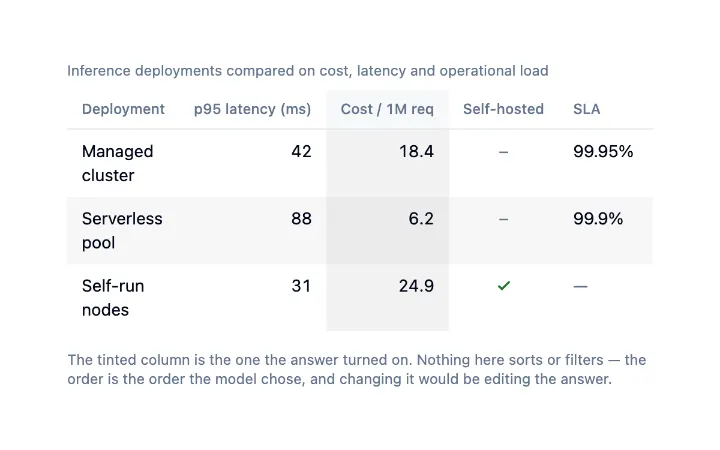
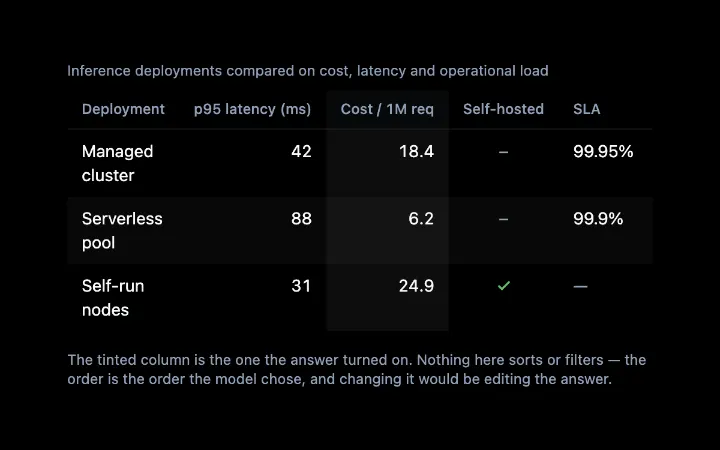
Compact comparison table for a model's structured answer: real table semantics, tabular numeric columns, check-or-dash booleans, and one tintable column — rendered in the order it arrived, with no sorting
ApprovalCard
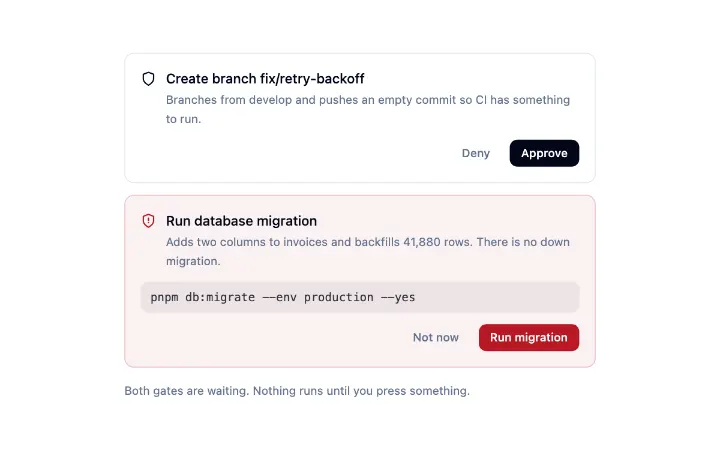
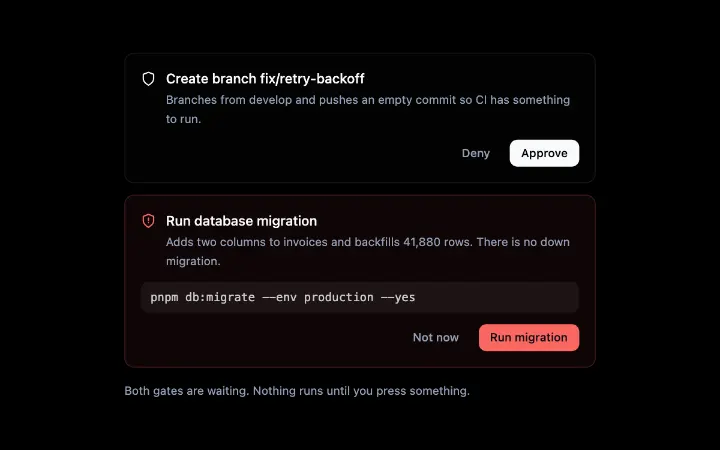
A human-in-the-loop gate before a side effect: the agent states what it is about to do, and the footer swaps its approve and deny buttons for a one-line verdict once someone decides
ArtifactCard
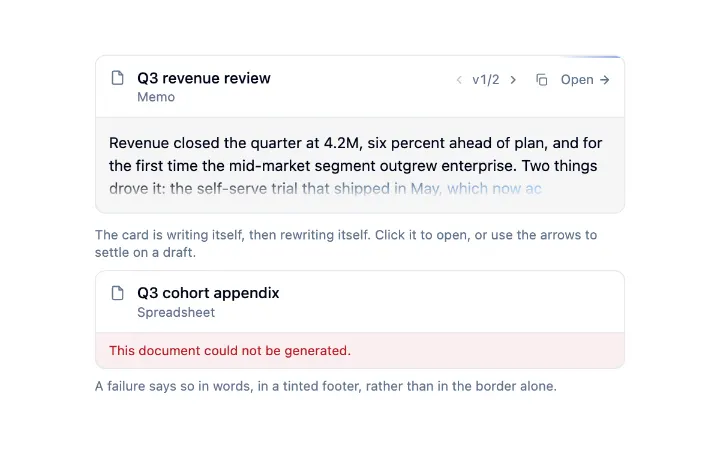
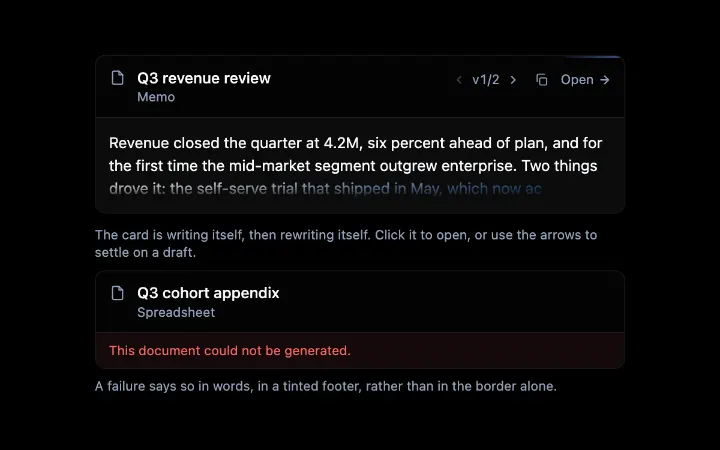
A generated document as a tangible object: title, kind, a version navigator, and the first six lines of the text itself streaming in behind a fade