Data Display Core Stable
Avatar
A person or account as an image that shows a skeleton while it loads and falls back to one or two initials on a colour fixed by the name, as a circle or a rounded square
Available for Svelte 5, React, and Vue 3.
Preview
svelte
<script lang="ts">
	import { Avatar } from "fancy-ui-svelte";

	// A self-contained image, so the example needs no network.
	const portrait = `data:image/svg+xml,${encodeURIComponent(
		'<svg xmlns="http://www.w3.org/2000/svg" viewBox="0 0 64 64"><defs><linearGradient id="g" x1="0" y1="0" x2="1" y2="1"><stop offset="0" stop-color="#f59e0b"/><stop offset="1" stop-color="#db2777"/></linearGradient></defs><rect width="64" height="64" fill="url(#g)"/><circle cx="32" cy="26" r="11" fill="#fff" fill-opacity=".85"/><path d="M10 64c2-14 12-20 22-20s20 6 22 20z" fill="#fff" fill-opacity=".85"/></svg>'
	)}`;
</script>

<div class="flex flex-wrap items-center gap-4">
	<Avatar src={portrait} alt="Maya Okafor" name="Maya Okafor" />
	<Avatar name="Lena Fischer" />
	<Avatar name="Tomás Rivera" shape="square" />
	<Avatar name="Aiko Tanaka" size="lg" />
</div>
Installation
pnpm add fancy-ui-svelte
import { Avatar } from "fancy-ui-svelte";
Usage
svelte
<script lang="ts">
	import { Avatar } from "fancy-ui-svelte";

	// A self-contained image, so the example needs no network.
	const portrait = `data:image/svg+xml,${encodeURIComponent(
		'<svg xmlns="http://www.w3.org/2000/svg" viewBox="0 0 64 64"><defs><linearGradient id="g" x1="0" y1="0" x2="1" y2="1"><stop offset="0" stop-color="#f59e0b"/><stop offset="1" stop-color="#db2777"/></linearGradient></defs><rect width="64" height="64" fill="url(#g)"/><circle cx="32" cy="26" r="11" fill="#fff" fill-opacity=".85"/><path d="M10 64c2-14 12-20 22-20s20 6 22 20z" fill="#fff" fill-opacity=".85"/></svg>'
	)}`;
</script>

<div class="flex flex-wrap items-center gap-4">
	<Avatar src={portrait} alt="Maya Okafor" name="Maya Okafor" />
	<Avatar name="Lena Fischer" />
	<Avatar name="Tomás Rivera" shape="square" />
	<Avatar name="Aiko Tanaka" size="lg" />
</div>
Examples
Basic Usage
An image, then initials on a colour fixed by the name, in a few shapes and sizes.
svelte
<script lang="ts">
	import { Avatar } from "$lib/fancy-ui/avatar";

	// A self-contained image, so the example needs no network.
	const portrait = `data:image/svg+xml,${encodeURIComponent(
		'<svg xmlns="http://www.w3.org/2000/svg" viewBox="0 0 64 64"><defs><linearGradient id="g" x1="0" y1="0" x2="1" y2="1"><stop offset="0" stop-color="#f59e0b"/><stop offset="1" stop-color="#db2777"/></linearGradient></defs><rect width="64" height="64" fill="url(#g)"/><circle cx="32" cy="26" r="11" fill="#fff" fill-opacity=".85"/><path d="M10 64c2-14 12-20 22-20s20 6 22 20z" fill="#fff" fill-opacity=".85"/></svg>'
	)}`;
</script>

<div class="flex flex-wrap items-center gap-4">
	<Avatar src={portrait} alt="Maya Okafor" name="Maya Okafor" />
	<Avatar name="Lena Fischer" />
	<Avatar name="Tomás Rivera" shape="square" />
	<Avatar name="Aiko Tanaka" size="lg" />
</div>
Fallbacks
Initials per name, a broken image, no name at all, and a decorative avatar beside a visible name.
svelte
<script lang="ts">
	import { Avatar } from "$lib/fancy-ui/avatar";

	const names = [
		"Maya Okafor",
		"Lena Fischer",
		"Tomás Rivera",
		"Aiko Tanaka",
		"Noor Haddad",
		"Sam Patel",
	];
</script>

<div class="flex flex-col gap-6">
	<div class="flex flex-wrap items-center gap-3">
		{#each names as name (name)}
			<Avatar {name} />
		{/each}
	</div>

	<div class="flex flex-wrap items-center gap-6 text-sm">
		<div class="flex items-center gap-2">
			<!-- An image that cannot load falls back to the initials. -->
			<Avatar src="data:image/png;base64,AAAA" alt="Maya Okafor" name="Maya Okafor" />
			<span class="text-muted-foreground">broken image</span>
		</div>
		<div class="flex items-center gap-2">
			<!-- No name and no image: a neutral silhouette. -->
			<Avatar alt="Guest" />
			<span class="text-muted-foreground">no name</span>
		</div>
		<div class="flex items-center gap-2">
			<!-- Beside a visible name, alt="" keeps screen readers from saying it twice. -->
			<Avatar name="Lena Fischer" alt="" />
			<span>Lena Fischer</span>
		</div>
	</div>
</div>
Props
| Prop | Type | Default | Description |
|---|---|---|---|
src | string | - | Image URL. While it loads a skeleton shows; if it fails the initials show |
alt | string | - | The accessible name, and the one required decision whenever src is set: describe the image, or pass "" to mark the avatar decorative beside a visible name. Falls back to name |
name | string | - | Who this is. Gives one or two initials for the fallback and a colour that is always the same for the same name |
size | "sm" | "md" | "lg" | "md" | Diameter: 28, 36 or 64px |
shape | "circle" | "square" | "circle" | Fully round, or a rounded square |
class | string | - | Additional CSS classes |
Links
Related components


AnimatedTestimonials
Testimonial carousel with smooth slide animations and optional autoplay
Data Display Fancy
Badge
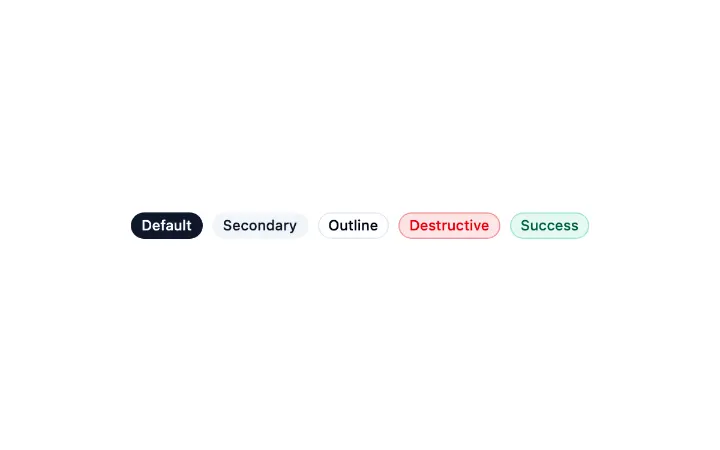
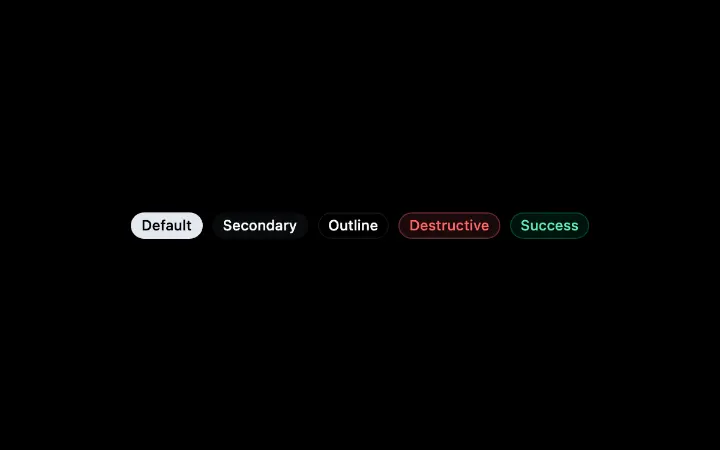
A short pill of status text in five treatments and two sizes, with native span attributes passed through
Data Display Core


LogoCloud
Logo display with animated marquee, static grid, and icon variants
Data Display Fancy