 FANCYUI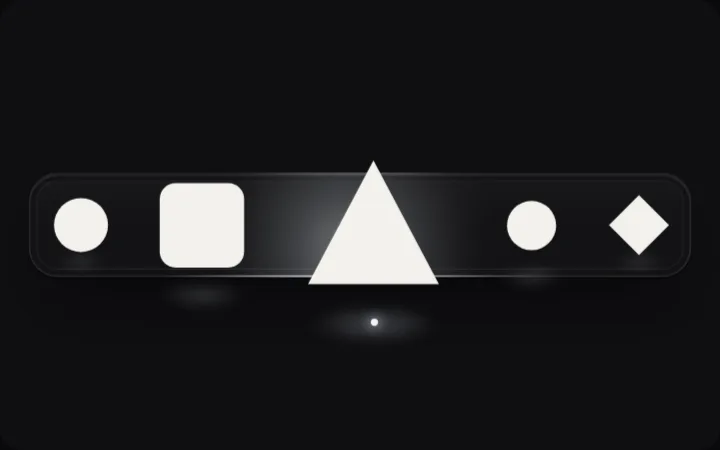
Tune Dock — distance magnify
Esc to close
Why it works
Each icon's size is a function of its distance to the pointer, not a hover state, so neighbours swell with the target and the row breathes as the cursor travels. Width drives layout, so icons push each other instead of overlapping.
When to use it
A short row of app-level shortcuts on pointer devices.
Things to watch
Magnification is off under `hover: none` and reduced motion. The dock is a `role="toolbar"`. Width-driven layout reflows neighbours on every move, which costs more than a transform on long rows.
Implementation clues
- distance → scale curve
- width-driven layout, not transform
- spring settle
Related
- FANCYUI
 FANCYUI
  FANCYUI